
Your Clio calendar just lost its Google sync. Your document automation is throwing errors. You have a motion deadline in 18 hours. This is the operational reality that most practices never prepare for until it becomes a crisis.
If your entire operation depends on Clio staying online and your API integrations holding, you are one bad sync away from a very expensive afternoon. A serious law firm business continuity plan is the infrastructure layer that separates a practice that survives a tech failure from one that misses a court deadline because of it.
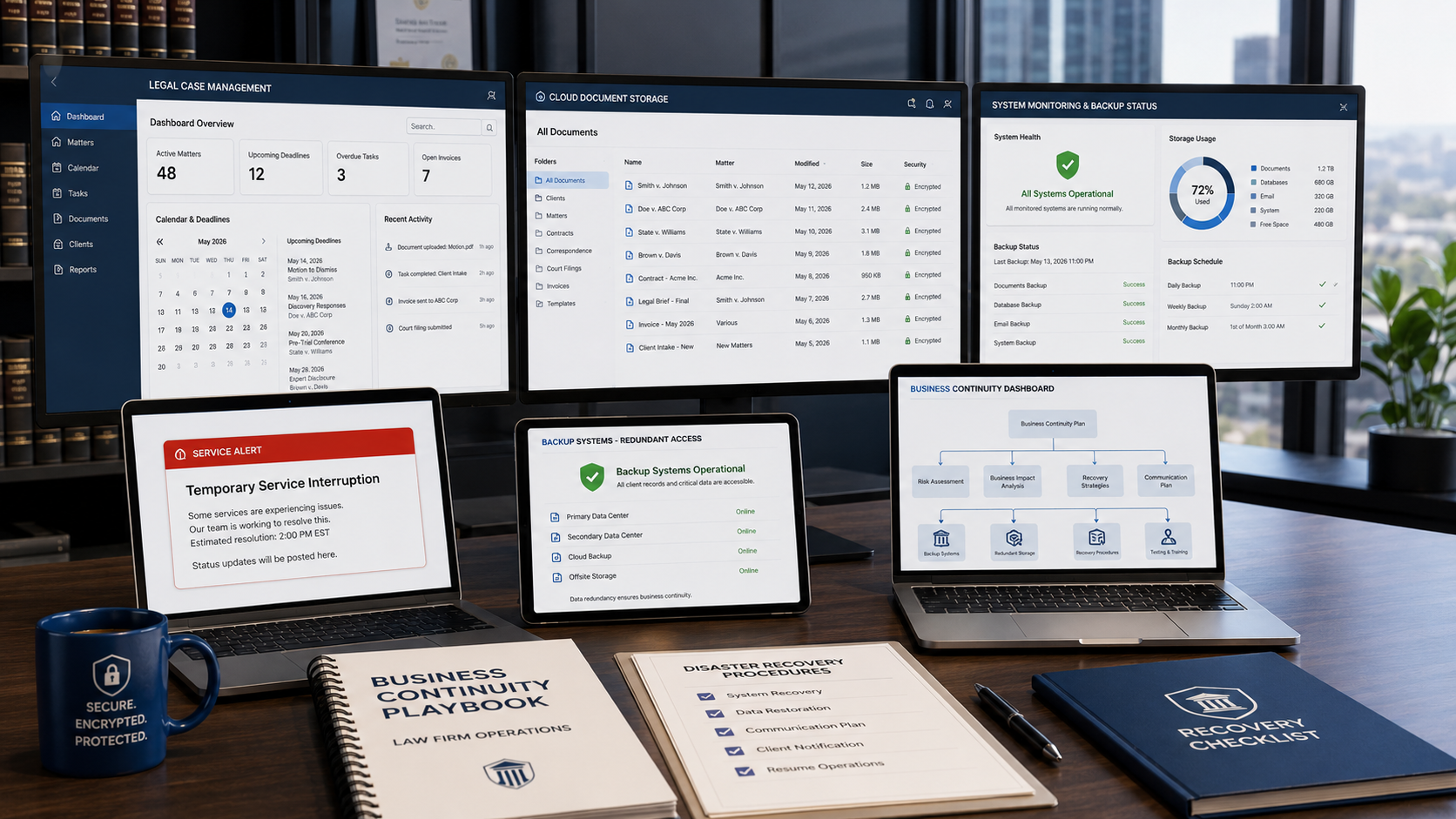
This article walks you through exactly how to audit your tech dependencies, build redundancy at every critical layer, and create the offline protocols that keep your team functional even when your primary systems go dark.
The Cloud Dependency Trap: What Happens When Your Legal Tech Stack Blinks?
Your practice management stack runs on a web of API connections: Clio talking to Google Calendar, your e-signature platform syncing with your document templates, your payment processor feeding into your billing module. Every one of those connections is a single point of failure. When any one of them drops, the ripple effect across your entire operation is immediate, often invisible, and almost always discovered at the worst possible moment.
The Structural Risks of Broken Calendar and Contacts Syncing
Calendar integration failures are among the most dangerous technical vulnerabilities in a solo or boutique firm’s stack. When your Clio Manage calendar loses its sync with Google Calendar or Microsoft Outlook, court dates, client meetings, and statute of limitations deadlines can silently disappear from one or both systems without generating a visible error notification. By the time you notice the failure, the missed event may already be a missed deadline with professional consequences attached.
What a Calendar Sync Failure Actually Looks Like Inside Clio
Clio Manage syncs with external calendar platforms via OAuth tokens that require periodic re-authentication. When that token expires silently, which can happen during a routine Google security update or a Clio platform maintenance window, new events stop syncing in both directions without triggering any alert. You continue adding hearing dates in Clio. Your Google Calendar shows nothing. Your assistant schedules a client call through Google. Clio never records it.
The first signal that something broke is usually a missed meeting or a confused client rather than a system notification. By then you are already in recovery mode rather than prevention mode. This failure pattern is precisely why law firm business continuity planning must include a calendar redundancy protocol, not just backup storage.
The Contact Sync Failure Risk
A contacts sync dropout between Clio Grow and your email platform creates a different but equally serious operational problem. New prospect records captured through Clio Grow stop appearing in your email client, breaking automated nurture sequences mid-flow. Existing contact updates made in Clio do not propagate outward, so any staff member working from their email client is operating on stale client information across active matters.
For a solo practice where one paralegal may be the only other person touching client records, this data divergence can persist for days before anyone catches it. The downstream effect on client communication logs, billing records, and matter history is difficult to reconstruct and time-consuming to correct under any circumstances.
Why You May Not Discover the Break Until a Hearing
The most dangerous property of API sync failures is that they fail silently. There is no push notification sent to your phone when your Clio-Google sync token expires. You discover the failure when you check your calendar and events are missing, or when a client asks why they never received the confirmation your system logged as sent. A solid law firm business continuity framework treats silent failure modes as the primary threat to audit, not dramatic full-system crashes.
Why Critical Technical Outages Derail Solo Practices Harder Than Big Law
A large firm experiencing a Clio outage has IT staff who can activate redundant systems, route work to backup platforms, and push a firm-wide communication within minutes. You do not have that infrastructure. When your internet drops, your cloud platform experiences an outage, or a key integration breaks, your entire firm’s operational capacity goes offline with it and the recovery burden falls entirely on you.
The operational disparity between enterprise firms and solo practices during a tech crisis comes down to one variable: pre-built redundancy. Big Law has it engineered into their contracts, staffing, and infrastructure budget. For a solo or boutique practice, building that same protection requires intentional architecture rather than enterprise-level spending. The specific vulnerabilities that hit solo practices hardest during an outage are:
- No secondary staff coverage: There is no one to continue client work while you personally troubleshoot the technical failure and wait on vendor support queues.
- No IT escalation path: Vendor support wait times during widespread outages can run two to four hours, and every minute is billable time you are not recovering.
- No offline case data: Court filing credentials, case numbers, and opposing counsel contact information exist only in the system you can no longer access.
- No documented failover procedure: Remote staff have no written protocol to follow when the primary system is unreachable, so all work halts until you give instructions while managing the crisis yourself.
- No redundant communication channel: When your primary VoIP or email platform drops alongside your CRM, client communication stops completely rather than routing through a configured backup.
Each of these gaps is individually fixable. Together, they represent a law firm business continuity failure that a single bad afternoon can expose in full.
The 3-Step Fail-Safe Blueprint for Boutique Law Practices
Building a disaster-proof Clio tech stack does not require enterprise-level IT spending or a dedicated systems administrator. It requires three deliberate architectural decisions that create redundancy at the data level, the process level, and the staff level. When these three steps are in place, your firm maintains meaningful operational capacity even during a complete primary system failure.
Configuring Automatic and Encrypted Local Database Exports from Clio Manage
Your Clio Manage database is your firm’s most critical operational asset. Every matter file, deadline entry, billing record, and client contact lives inside it. If that database becomes inaccessible, even temporarily during a critical filing week, your ability to serve active clients is immediately compromised. Configuring scheduled, encrypted local exports of that data is the first non-negotiable step in any serious law firm business continuity plan.
Step 1: Enable Clio’s Built-In Data Export Feature
Clio Manage provides a native data export function accessible through the Settings panel under the Data Management section. This export generates a comprehensive archive of your matters, contacts, calendar entries, time records, and billing data as of the export date. Schedule this export to run at minimum once per week, and ideally every business day for any matter with an active filing deadline or upcoming hearing date.
The export process takes under ten minutes to configure and runs unattended once scheduled. Treat it the way you treat your malpractice premium: the cost of running it is trivially small compared to the cost of needing it and not having it.
Step 2: Encrypt Every Export Before Local Storage
A raw Clio data export is unencrypted and contains privileged client information. Before storing it locally or on a secondary cloud platform, you must encrypt it. Use VeraCrypt or BitLocker on Windows, or FileVault on Mac, to create an encrypted container for your export files. Store the decryption passphrase separately from the device itself, in a password manager such as 1Password or Bitwarden that is accessible from multiple devices and physical locations.
This step is compliant with ABA Model rules. Multiple state bar opinions on data security cite encryption of locally stored client data as a baseline competence requirement under ABA Model Rule 1.1 Comment 8. An unencrypted backup file is not a safeguard. It is a liability.
Step 3: Store Copies in Two Geographically Separate Locations
A single encrypted backup stored on your laptop is still a single point of failure. Your law firm business continuity architecture requires at minimum two copies stored in separate locations: one on a local encrypted external drive and one in a secondary cloud storage platform that operates completely independently of Clio.
Microsoft OneDrive for Business with Azure Information Protection labels, or Google Drive with organization-level encryption, are both acceptable secondary platforms for encrypted legal data once you have reviewed their data processing agreements against your jurisdiction’s confidentiality requirements.
The geographic separation is the point. A local drive and a secondary cloud backup are both useless if they are inaccessible due to the same network outage or hardware failure. Your goal is two independent access paths to your critical data from two different systems.
Step 4: Test the Restore Process Every Quarter
A backup you have never tested is a false sense of security. Schedule a quarterly restore drill where you open your most recent encrypted export, verify that all active matter data is present and readable, and confirm that the decryption process works from a device other than your primary workstation. Document each test in an operational log with the date, tester name, and result.
If a bar ethics inquiry ever arises around your technology competence practices during a data incident, that test log is your documented evidence that you treated law firm business continuity as a proactive professional responsibility rather than a last-minute reaction.
Establishing Offline Standard Operating Procedures for Remote Staff
Your paralegal is working remotely when Clio goes down. What happens next is crucial. Every member of your team, including virtual paralegals and outside contractors, needs a documented offline SOP they can execute without system access and without waiting on your instructions while you are simultaneously managing the technical failure.
The offline SOP needs to address four operational areas: time tracking, client communications, document handling, and deadline management. It needs to be specific enough that a staff member can follow it independently under pressure without creating new confidentiality problems.
For time tracking, staff should keep a manual log in a shared Google Sheet accessible independently of Clio, using entries that match Clio’s standard time entry format for easy upload once the system is restored. For client communications, they should use a designated secondary firm email address hosted independently of your primary domain server. For document handling, every draft created during an outage should follow a consistent naming convention that makes it immediately identifiable for upload into Clio once access is restored.
| Is your tech stack vulnerable to a sudden integration failure or a corrupted database sync? Transitioning your infrastructure to a disaster-proof configuration requires regular backup testing and proactive security parameters. Click here to book a free 15-minute diagnostic system audit to evaluate your current business continuity protections before an unexpected outage occurs. |
Data Security and Compliance Rules for Business Interruptions
A technical outage does not pause your ethical obligations. Your duty of technological competence under ABA Model Rule 1.1 Comment 8, which requires attorneys to keep current with the benefits and risks of relevant technology, extends directly to how you handle client data during a system failure. Building a disaster-proof Clio tech stack means building one that remains compliant even when your primary systems are offline.
Protecting Client Confidentiality During Emergency Remote Transitions
When a primary system failure forces your team to shift to offline or alternative platforms, every substitute tool they reach for must meet the same confidentiality standard as your primary stack. In practice, attorneys under pressure during a tech crisis often grab the first available tool without evaluating its data handling implications. That instinct is exactly how a single bad afternoon creates a Model Rule 1.6 problem.
Your staff should not be using personal Gmail accounts to send client documents during a Clio outage. They should not be sharing case files through a personal Dropbox account because the firm’s primary cloud storage is temporarily unavailable. Your offline SOP must explicitly name the approved backup communication and file-sharing tools that meet your confidentiality requirements, and those tools must be set up, credentialed, and tested well before any emergency occurs.
If your offline transition requires staff to access client files from a personal device, that device must have endpoint encryption active. BitLocker on Windows and FileVault on Mac are the minimum standards. Several state bar ethics opinions on remote data access now explicitly identify these configurations as part of the baseline technology competence attorneys must maintain during emergency operations.
Securing Offline Legal Research Archives and Crucial Court Forms
Losing access to your primary legal research platform during a deadline crunch is a different category of crisis from a calendar sync failure. If LexisNexis or Westlaw becomes inaccessible because of a network outage, your ability to verify citations, run Shepard’s, or pull jurisdiction-specific filing forms goes offline with it. A complete law firm business continuity plan must include a research redundancy layer, not just operational data backup.
Building a Local Research Cache for Active Matters
Maintain a rolling archive of your most frequently referenced research memos, stored in your encrypted local backup alongside your Clio data exports. For each active matter approaching a trial date, filing deadline, or major hearing, export and save the key LexisNexis research documents underpinning your current strategy at least one week in advance. Organize these cached documents by matter name and export date so you are always working from the most recent verified version rather than a memo that pre-dates a significant case development.
This offline research cache is not a substitute for your live subscription access. It is your operational bridge for the hours between a network failure and restoration. For any matter where a critical filing window falls within the next 72 hours, this cache should be treated as mandatory preparation rather than optional backup.
Offline Court Forms and Electronic Filing Credentials
Court forms change with procedural rule updates, and relying on a live connection to download the current version during a filing crunch is a preventable risk. Maintain a local folder of the most current versions of the court forms your firm uses regularly, downloaded directly from the official court website on a monthly review cycle and dated clearly on download so you can verify currency without going back online.
For electronic filing credentials, your offline SOP should include a secure, printed or encrypted reference document containing your CM/ECF login, your state e-filing platform credentials, and the direct phone numbers for the clerk’s office in every court you practice in regularly. When your internet fails the morning of a filing deadline, that reference document is the difference between a timely filed brief and an emergency motion for extension.
Secondary Legal Research Access Points to Document Now
If your primary LexisNexis or Westlaw subscription becomes inaccessible during a network failure, your disaster-proof Clio tech stack should include at least one documented secondary research access point that is already configured and tested before you need it.
Free Westlaw access through your state bar’s member benefits program is one option. Google Scholar provides limited but functional access to federal and state appellate opinions as a short-term bridge. The Harvard Law School Case Law Access Project provides free access to millions of historical U.S. case opinions and is worth bookmarking as a verified emergency resource before any crisis materializes.
For truly time-sensitive matters, consider maintaining a relationship with an independent legal researcher who can provide ad hoc research support when your primary research platforms are unavailable, ensuring that critical deadlines and client needs are not disrupted by a technology outage.
These secondary sources are not substitutes for full-tier LexisNexis access and should not be used for final citation verification when your primary platform is available. As emergency bridges during a same-day network failure, however, they are the difference between productive research time and a complete work stoppage while you wait for your connection to restore.
Achieving Total Operational Peace of Mind
The practices that will navigate tech crises cleanly in 2026 are the ones that treated law firm business continuity planning as a deliberate infrastructure investment rather than a crisis response exercise. The technology your firm depends on will experience failures. The only real question is whether your systems are built to absorb those failures quietly or to collapse under them visibly.
A disaster-proof Clio tech stack requires deliberate data export configuration, encrypted backup architecture, documented restore protocols, offline staff SOPs, and a compliance-aware approach to emergency operations. But once it is built and tested, it runs largely in the background, protecting your practice every day without requiring your daily attention.
There’s the peace of mind that comes from knowing your client data is backed up, your research is cached, your staff has an offline playbook, and your confidentiality obligations are met even during an outage. This is the operational foundation that lets you walk into your next high-stakes trial without a knot in your stomach every time your browser tab loads slowly.
Law firm business continuity is not about preparing for the worst. It is about removing the worst as a variable your clients ever have to experience.
Ready to Build an Ironclad, Disaster-Proof Technical Infrastructure?
You do not have to live in fear of a sudden software outage or spend your valuable billable hours scrambling to recover missing client data, broken calendar rules, or disconnected database integrations by yourself.
Levis is a virtual freelance paralegal and Clio Certified Administrator with 7 years of hands-on U.S. legal operations experience, remotely supporting solo and boutique law firms in immigration, family law, corporate, and civil litigation matters. Levis has conducted legal research across countless matters using LexisNexis and Westlaw, helped attorneys reduce drafting time through automated Clio workflows, and provided end-to-end practice management support for firms. If your business continuity architecture has gaps, this is exactly the kind of operational problem Levis identifies and solves before a crisis finds them for you.
- The Infrastructure Build: Levis designs and deploys automated data extraction pipelines, builds off-grid staff operating manuals, and optimizes multi-app software configurations inside Clio Manage to keep your firm running through any disruption.
- The Research & Validation Partner: Maintain absolute delivery continuity for your clients. Levis leverages full-tier LexisNexis and Shepard’s Citations access to serve as your redundant litigation support system, auditing draft documentation and verifying legal precedents so your firm’s case files remain completely sue-proof.
Let’s safeguard your firm’s data integrity and protect your business continuity today.
- Click here to select a convenient time on Calendly for a free 15-minute diagnostic strategy call.
- Prefer an initial email review? Fill out the secure Contact Form here with your biggest system bottleneck, and Levis will respond within 1 business day.
Disclaimer: Top Legal Support provides freelance legal operations, litigation support, and document preparation services exclusively to licensed, practicing attorneys. We do not provide direct legal advice or representation to the public.